
A modern, efficient test emulation platform built for Oracle certification preparation
DuckyEmulator is a high-performance test emulation platform specifically designed for Oracle certification preparation. Built as a superior alternative to existing solutions like Enthuware Test Studio, DuckyEmulator offers significant performance improvements and a modern, intuitive user interface.
- 🏃♂️ Performance First: Dramatically reduced memory usage (from 7GB+ to minimal footprint)
- 🎨 Modern UI: Built with MaterialFX and JavaFX for a beautiful, responsive interface
- 📊 Comprehensive Management: Full admin panel for questions, topics, and classifications
- ⚡ Fast Navigation: Efficient question browsing with pagination and search
- 📈 Detailed Analytics: Comprehensive test results and session history
- 🔒 Secure Authentication: Robust user management with role-based access
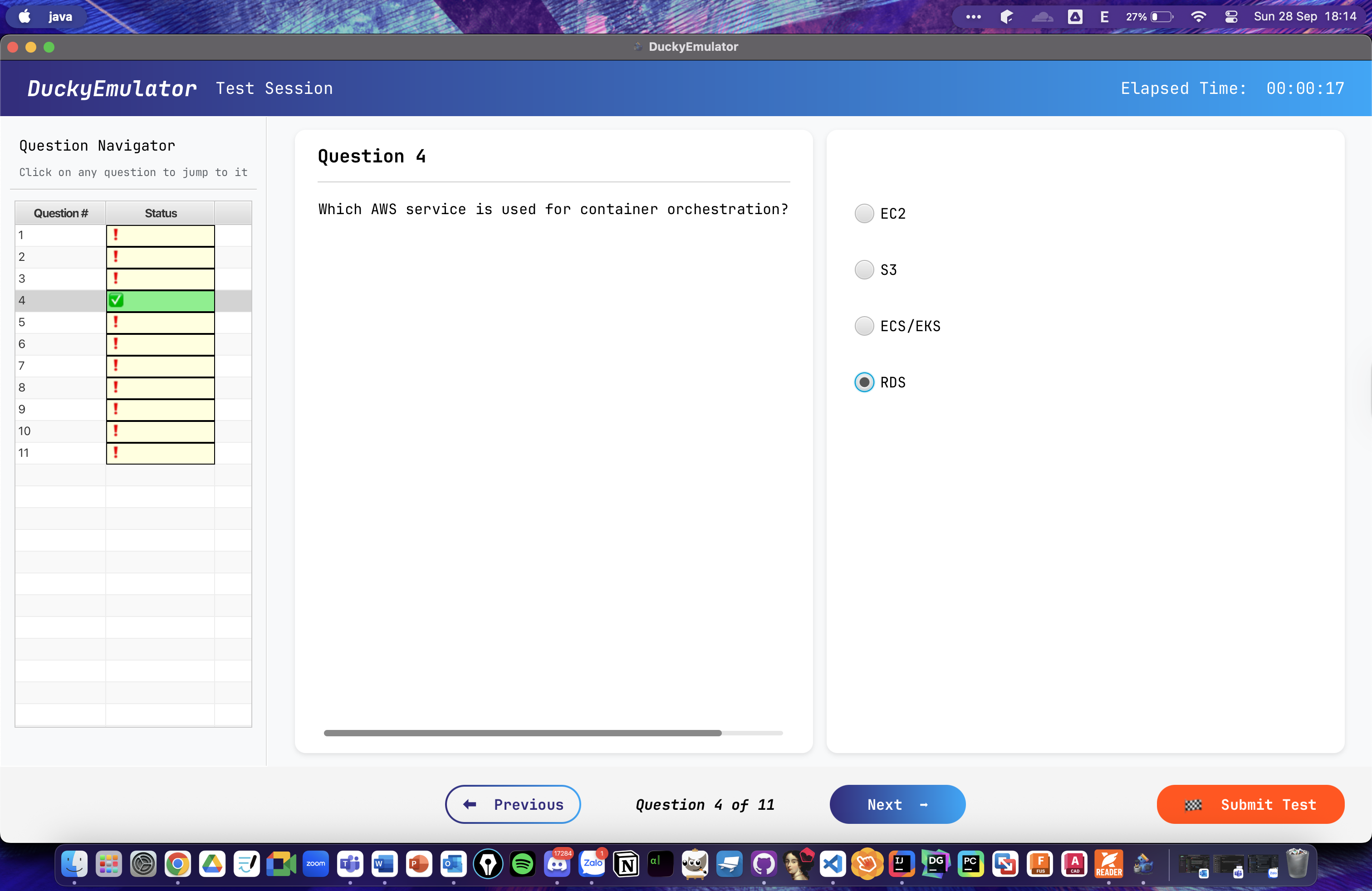
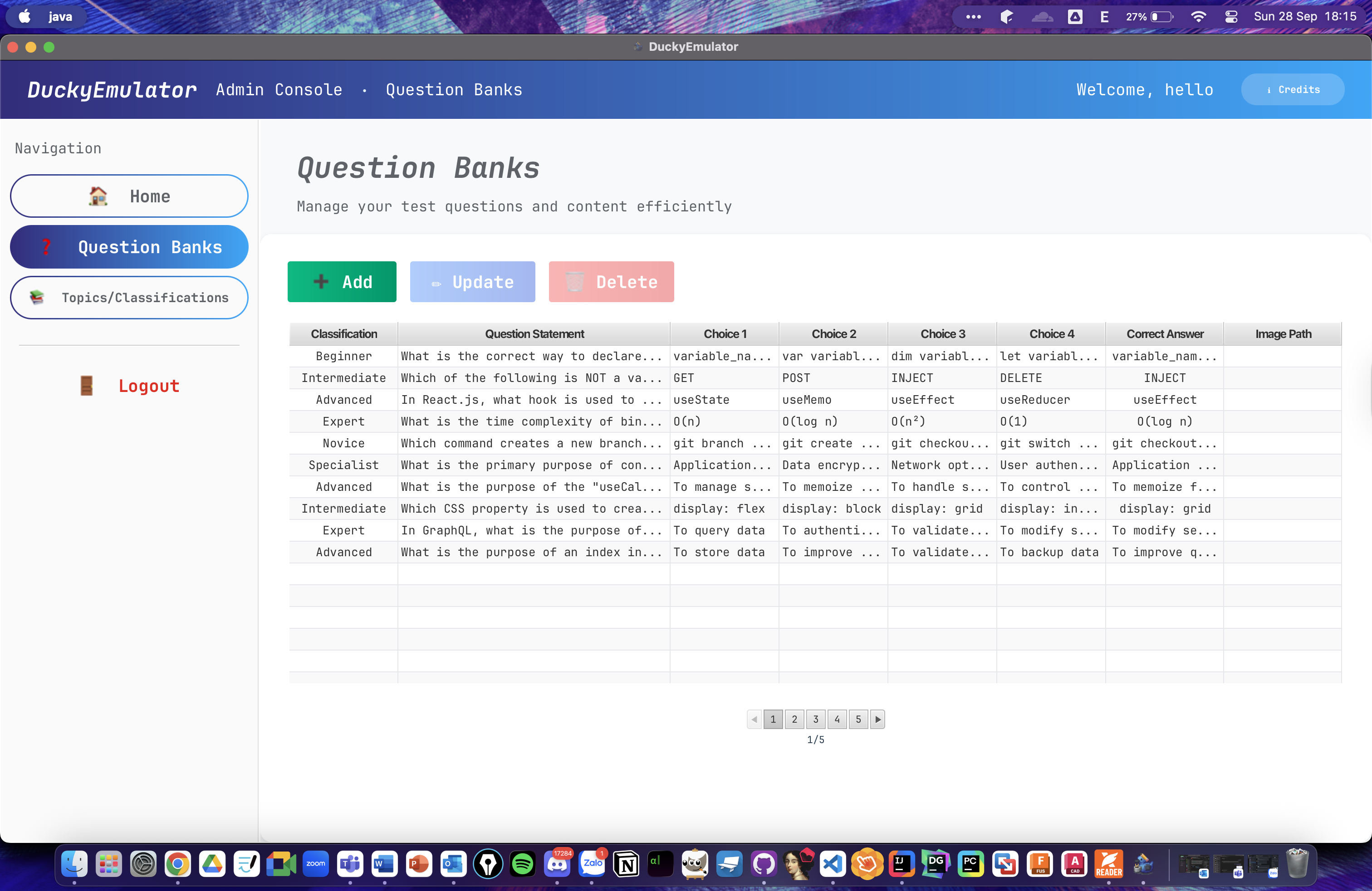
- Question Management: Create, read, update, and delete questions with multiple choice options
- Topic Organization: Manage test topics with hierarchical structure
- Classification System: Easy, Medium, Hard difficulty levels
- Image Support: Upload and manage question images with relative path storage
- Bulk Operations: Efficient pagination for handling large question banks
- Test Sessions: Create and manage timed test sessions with 10-20 randomized questions
- Smart Navigation: Jump to specific questions, mark answers, track progress
- Real-time Timer: Live elapsed time tracking during tests
- Comprehensive Results: Detailed score breakdown with question-by-question analysis
- Session History: View and manage past test attempts
- High Performance: Optimized database queries and efficient memory management
- Cross-platform: Java-based solution running on Windows, macOS, and Linux
- Responsive Design: MaterialFX components for modern UI/UX
- Robust Database: MySQL integration with JDBC connectivity
- Modular Architecture: Well-structured codebase with clear separation of concerns
- Java 17 or higher
- MySQL 8.0 or higher
- Maven 3.8 or higher
- 4GB RAM minimum (8GB recommended)
-
Install JDK 17.0.14 or higher: Download from this link
-
Install MySQL 8.0 or higher: Download from this link
-
Download DuckyEmulator: Get the JAR file from this link
-
Run the application: Double-click the JAR file or execute:
java -jar DuckyEmulator.jar
- Launch DuckyEmulator
- Create admin account on first startup
- Login to admin panel to add questions and topics
- Switch to user mode to take practice tests
DuckyEmulator/
├── src/main/java/com/arthroverse/duckyemulator/
│   ├── Main/                    # Application entry point
│   ├── Database/                # Database models and services
│   │   ├── AdminBeans/         # Admin data models
│   │   ├── PublicBeans/        # User session models
│   │   └── CredentialBeans/    # Authentication models
│   ├── UIControllers/          # JavaFX controllers
│   │   ├── AdminUIControllers/ # Admin panel controllers
│   │   └── PublicUIController/ # User interface controllers
│   ├── UIs/                    # Navigation and scene management
│   └── Utilities/              # Helper classes and utilities
├── src/main/resources/
│   ├── fxmls/                  # JavaFX FXML layouts
│   ├── css/                    # Stylesheets
│   └── images/                 # Application assets
└── docs/                       # Documentation and guides
- ✅ Admin login/logout with secure authentication
- ✅ Topic management (CRUD operations)
- ✅ Classification management (Easy/Medium/Hard)
- ✅ Question management with image support
- ✅ Bulk operations with pagination
- ✅ User registration and authentication
- ✅ Test session creation with randomized questions
- ✅ Question navigation and answer selection
- ✅ Real-time timer and progress tracking
- ✅ Comprehensive result analysis
- ✅ Session history and management
- Frontend: JavaFX 22 + MaterialFX
- Backend: Java 17 + JDBC
- Database: MySQL 8.0
- Build Tool: Maven 3.8+
- IDE: IntelliJ IDEA Ultimate (recommended)
# Clone and enter project directory
git clone https://github.com/arthroverse/DuckyEmulator.git
cd DuckyEmulator

# Install dependencies
mvn clean install

# Run in development mode
mvn javafx:run

#To debug, runs
mvn javafx:run -P debugWe welcome contributions from the community! Here's how you can help:
- 🐛 Bug Reports: Found a bug? Open an issue
- 📝 Documentation: Improve our docs and guides
- 🔧 Code: Submit pull requests for bug fixes and features
- All PRs require review from maintainers
- Automated tests must pass
- Follow existing code style and patterns
- Include appropriate documentation updates
DuckyEmulator delivers significant performance improvements over existing solutions:
| Metric | Enthuware Test Studio | DuckyEmulator | Improvement |
|---|---|---|---|
| Memory Usage | ~7GB | <1GB | 85% reduction |
| Startup Time | 45-60s | 8-12s | 75% faster |
| Question Load | 3-5s | <1s | 80% faster |
| UI Responsiveness | Poor | Excellent | Dramatically improved |
This project is licensed under the Apache License 2.0 - see the LICENSE file for details.
Copyright (c) 2025 Arthroverse Laboratory

Licensed under the Apache License, Version 2.0 (the "License");
you may not use this file except in compliance with the License.
You may obtain a copy of the License at

    http://www.apache.org/licenses/LICENSE-2.0
DuckyEmulator is built with gratitude to the open-source community:
- OpenJFX - Modern Java UI toolkit
- MaterialFX - Material Design components for JavaFX
- MySQL - Reliable database engine
- Maven - Dependency management and build automation
Special thanks to all contributors and testers who helped shape DuckyEmulator into a robust testing platform.
- 📧 Email: vinh.md@arthroverse.com
- 🐛 Bug Reports: GitHub Issues