



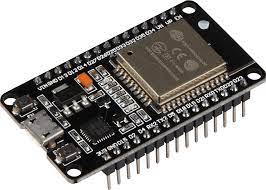
The ESP32 is a microcontroller that provides an API for Bluetooth A2DP which can be used to receive sound data e.g. from your Mobile Phone and makes it available via a callback method. The output is a PCM data stream, decoded from SBC format. The documentation can be found here.
I2S is an electrical serial bus interface standard used for connecting digital audio devices together. It is used to communicate PCM audio data between integrated circuits in an electronic device.
So we can just feed the input from Bluetooth to the I2S output: An example for this from Espressif can be found on Github.
Unfortunately this example did not make me happy so I decided to convert it into a simple Arduino Library that is very easy to use from an Arduino Software IDE.
As the name of this library implies, it supports the A2DP Bluetooth protocol which only provides audio streaming!
It also supports Audio/Video Remote Control Profile (AVRCP) together with A2DP.
The Hands-Free Profile (HFP), Headset Profile (HSP) and standalone AVRCP without A2DP are not supported!
Espressif is retiring the legacy I2S API: So with Arduino v3.0.0 (IDF v5) my old I2S integration will not be available any more. The legacy syntax is still working as long as you don't upgrade.
In order to support a unique output API which is version independent, it is recommended to install and use the AudioTools library. So the documentation and all the examples have been updated to use this new approach.
However you can also output to any other class which inherits from Arduino Print: e.g. the Arduino ESP32 I2SClass or you can use the data callback.
This can be used e.g. to build your own Bluetooth Speaker. Here is the simplest example which just uses the default settings:
#include "AudioTools.h"
#include "BluetoothA2DPSink.h"

I2SStream i2s;
BluetoothA2DPSink a2dp_sink(i2s);

void setup() {
    a2dp_sink.start("MyMusic");
}

void loop() {
}
This creates a new Bluetooth device with the name “MyMusic” and the output is sent to the default I2S pins (BCK = 14, WS = 15, DATA = 22), which need to be connected to an external DAC.
Defining your own pins, the output with the ESP32 I2S API or to the internal DAC, data callbacks, metadata and AVRC commands are described in the A2DP Sink documentation.
This can be used to feed e.g. your Bluetooth Speaker with your audio data: PCM data with 44.1kHz sampling rate, two channels and 16 bits per sample.
#include "BluetoothA2DPSource.h"

BluetoothA2DPSource a2dp_source;

int32_t get_sound_data(uint8_t *data, int32_t byteCount) {
    // generate your sound data
    // return the effective length in bytes
    return byteCount;
}

void setup() {
  a2dp_source.set_data_callback(get_sound_data);
  a2dp_source.start("MyMusic");
}

void loop() {}
Frame callbacks, Arduino Streams as data source and the selection of the target device are described in the A2DP Source documentation.
This library uses the ESP32 logger that you can activate in Arduino in - Tools - Core Debug Log.
This library is part of my AudioTools project, so you can combine it with any AudioTools functionality:
- A2DP Sink: process the received audio with an equalizer, filters or sound effects, analyse it with FFT, or send it to an alternative output.
- A2DP Source: send audio from any AudioTools source, e.g. MP3 files, a microphone or a synthesizer.
You can find many examples in the AudioTools project.
- The class documentation can be found here
- The Design Overview describes the architecture, the dependencies and the supported frameworks
- The Change History can be found in the Wiki
- You can also find further information in the Wiki
I spent a lot of time to provide a comprehensive and complete documentation. So please read the documentation first and check the issues and discussions before posting any new ones on Github.
Open issues only for bugs and if it is not a bug, use a discussion: Provide enough information about
- the selected scenario/sketch
- what exactly you are trying to do
- your hardware
- your software versions
- ESP32 version from the Board Manager
- version of the ESP32-A2DP library
to enable others to understand and reproduce your issue.
Finally above all don't send me any e-mails or post questions on my personal website!
Get some inspiration from projects that were using this library and share your projects with the community.
For Arduino you can download the library as zip and call include Library -> zip library. Or you can git clone this project into the Arduino libraries folder e.g. with
cd  ~/Documents/Arduino/libraries
git clone https://github.com/pschatzmann/ESP32-A2DP.git
git clone https://github.com/pschatzmann/arduino-audio-tools.git
For the provided examples, you will need to install the audio-tools library as well.
For other frameworks see the Wiki
This software is totally free, but you can make me happy by rewarding me with a treat